


Description
Security Suite byAkyras — See the risks. Control access. Stay in control.
Does a former employee still have access? Has a supplier just changed their bank account details? Is your latest backup recent enough? Who can export your data or grant themselves sensitive permissions?
These questions affect your business every day. Security Suite byAkyras brings together the tools to answer them within Dolibarr: strong authentication, access control, business process protection, instance monitoring, alerts and incident tracking.
A security centre built into your ERP, showing what needs fixing and the actions you can take to regain control. Two-factor authentication is included; the suite also covers what happens after login.
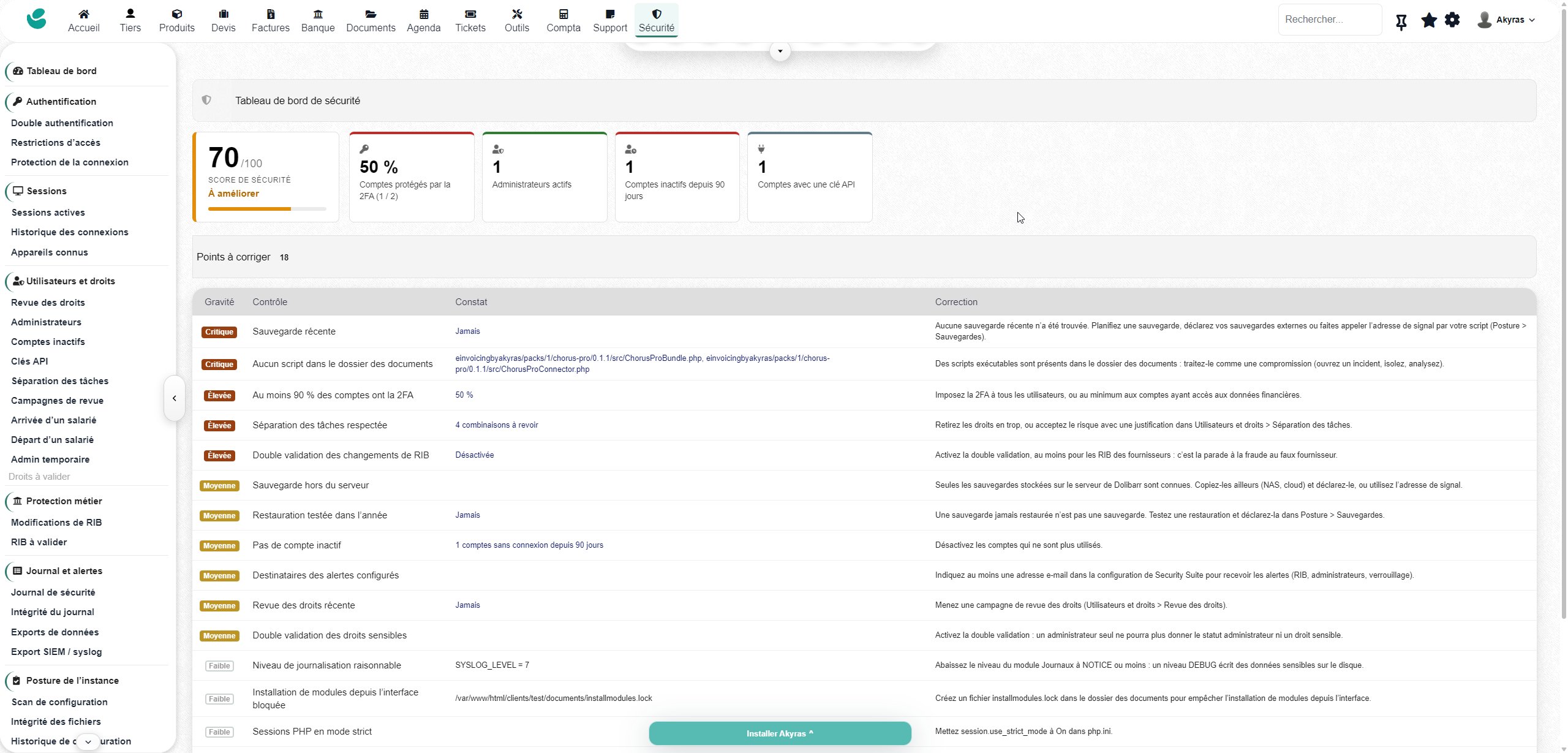
Your dashboard does more than display a score. It helps you decide what to fix.
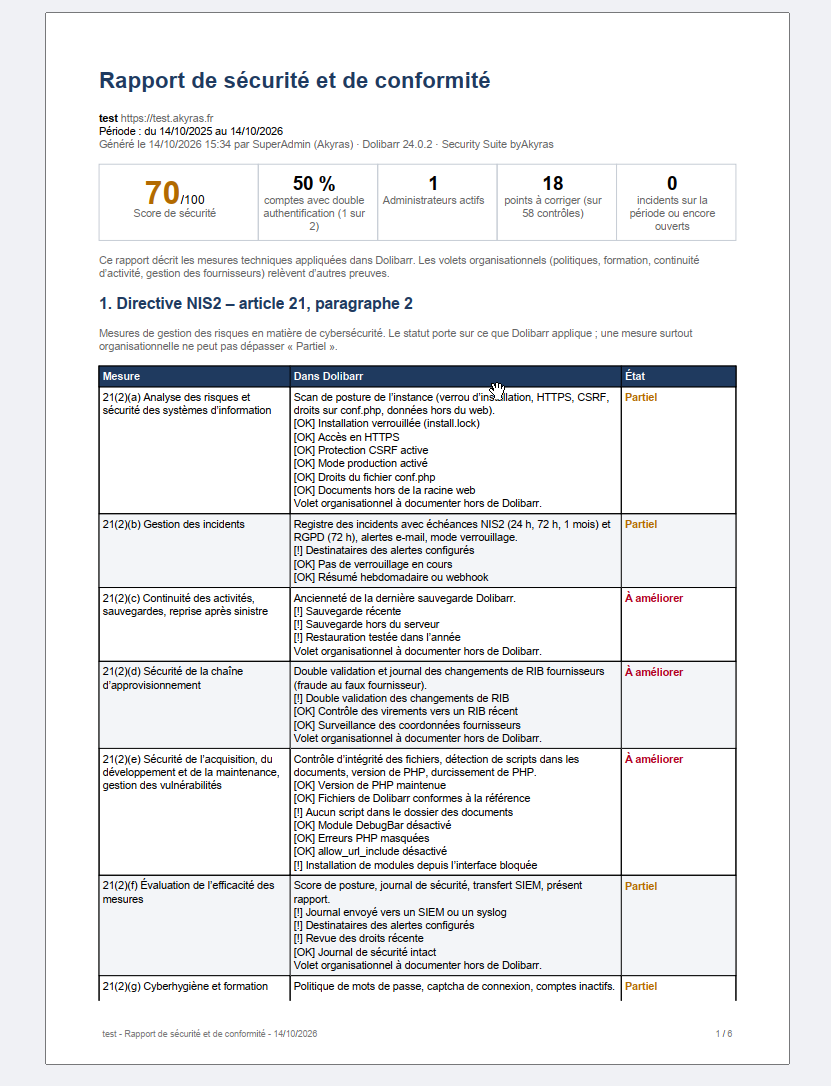
View the percentage of accounts protected by 2FA, active administrators, inactive accounts and accounts with an API key. An indicative score out of 100 summarises the suite’s checks.
Issues are ranked by severity, with findings and a recommended fix : missing backups, insufficiently protected accounts, risky permissions, disabled approvals or settings that need strengthening. You get a list of concrete actions to take, directly within Dolibarr.
1. Modern authentication, tailored to your teams
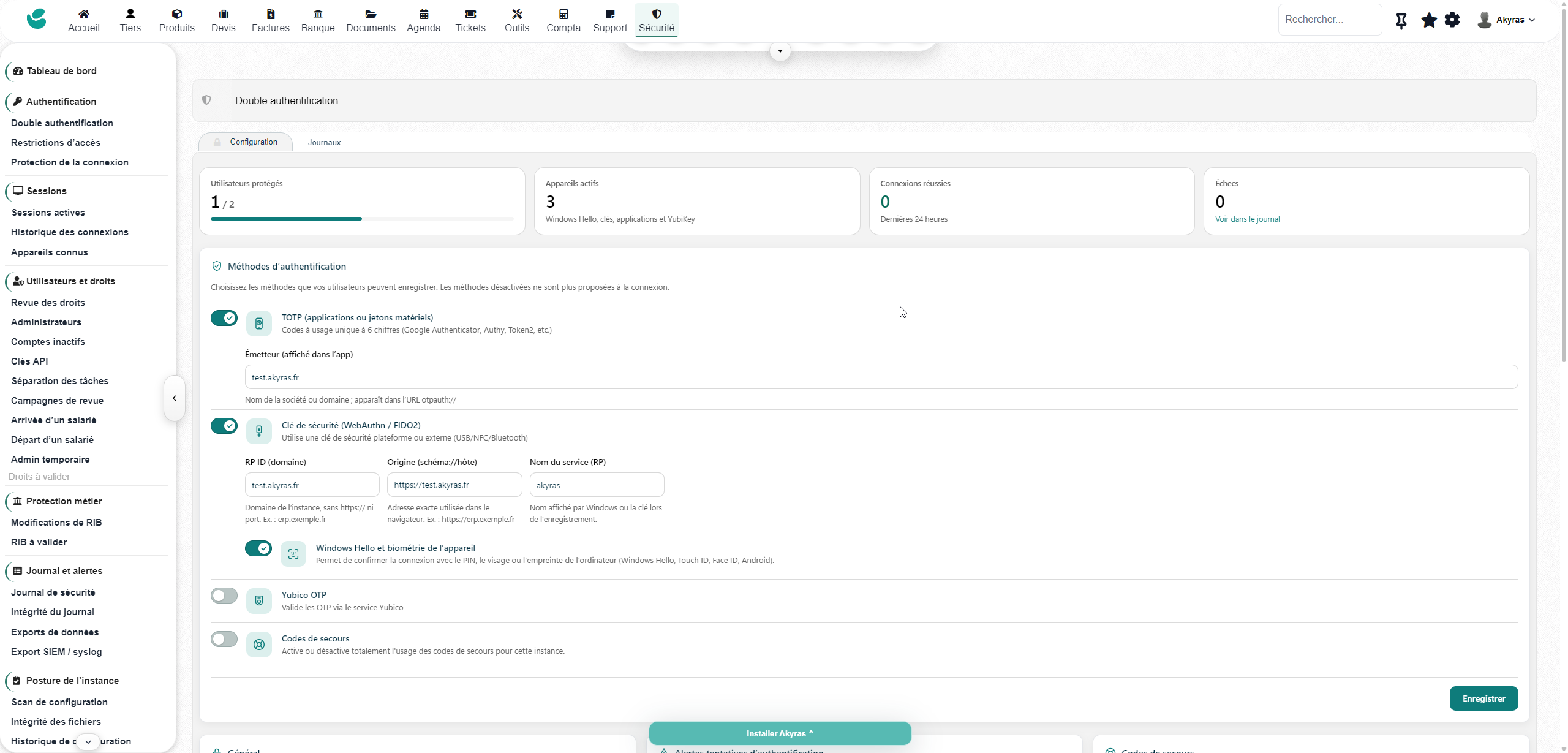
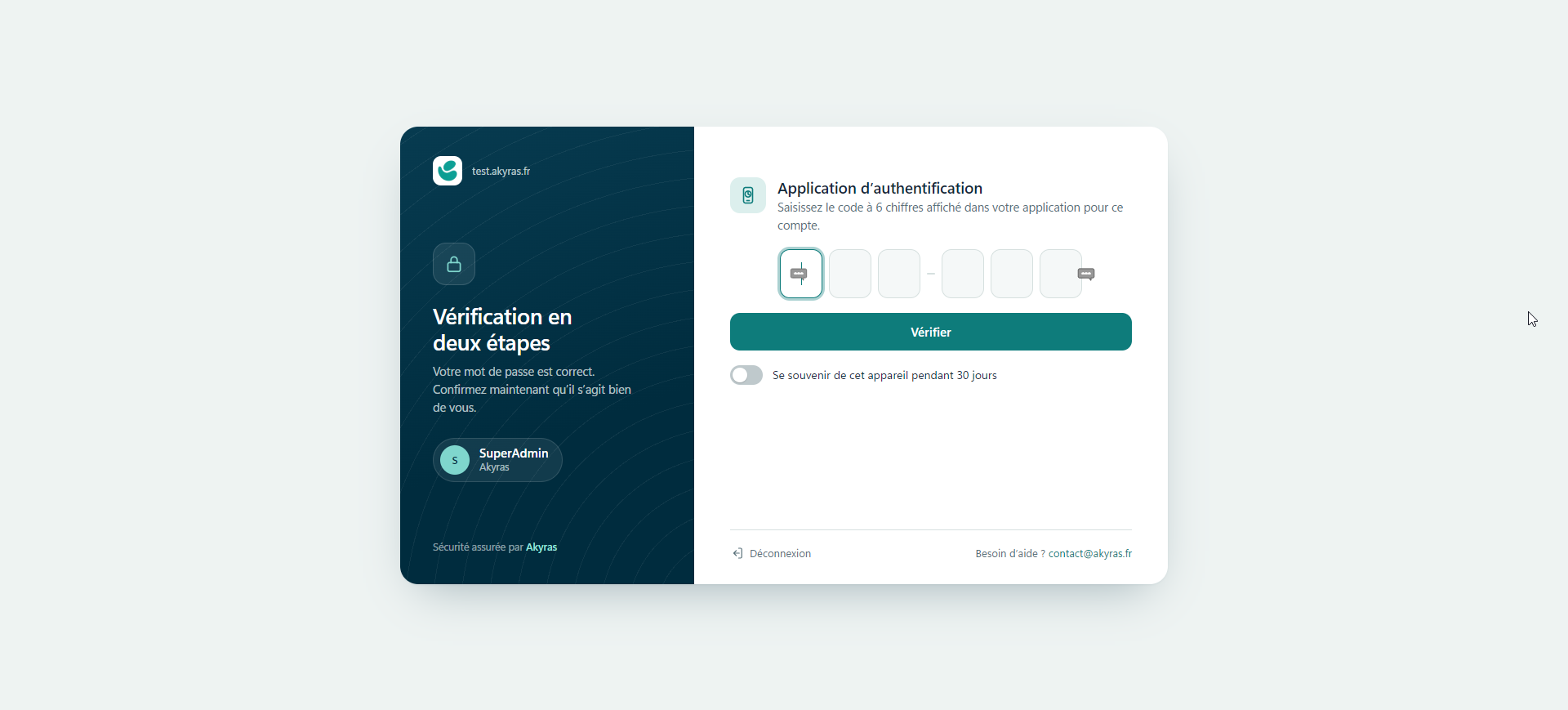
The byAkyras 2FA engine is built in: Windows Hello, FIDO2/WebAuthn security keys, TOTP apps and YubiKey OTP, with guided setup, recovery codes and remembered devices. Users have several methods available; you define when 2FA is required using the policy options provided by the module.
Windows Hello allows confirmation using a PIN or biometrics on compatible configurations. FIDO2/WebAuthn methods bind verification to the legitimate website; biometric data stays on the device. When a second factor is required, the authenticated Dolibarr session is only established once that factor has been verified.
2. Defences against account attacks
- Brute force: temporary blocking by IP address and targeted username, with configurable thresholds.
- Password spraying: detection of an IP address attempting to log in with many different usernames.
- Repeat attempts: progressively longer blocking periods, an IP allowlist and an unblock page.
- Decoy accounts: an attempt to log in with a configured fictitious username triggers a block and a critical alert.
- Compromised passwords: checks through Have I Been Pwned, rejection of compromised passwords when setting a new password, and a warning at login.
The password check transmits only a five-character prefix of the password’s SHA-1 hash, using the k-anonymity mechanism; the password itself is never sent.
3. Your access rules, before and during the session
Define restrictions by IP address or IPv4/IPv6 network range, country, day and time. Apply them to all users, administrators, non-administrators, a group or a specific account.
Start in monitoring mode to assess violations, then enable blocking. Rules are checked at login and periodically during the session. A testing tool shows which rules would be violated for a given user, IP address and time. Safeguards reduce the risk of locking yourself out, with a documented recovery mechanism.
4. See who is logged in and take control of sessions
View active sessions, IP addresses, devices and last activity. Remotely end a single session or all sessions belonging to a user ; termination takes effect on the next request from each session. The history records logins and the reasons sessions ended.
Track known devices, forget a lost device and receive alerts for new devices or networks according to your settings. Detect simultaneous sessions, with an optional limit. The “impossible travel” check can flag or reject a login that is geographically inconsistent with the previous one.
The “My Security” page gives each user an active role in protecting their account. The “That wasn’t me” button ends their other sessions, forgets their devices, removes their API key, alerts the security team, opens an incident and requires a new password.
5. Add a second approval step for bank account changes
Changes to an IBAN, BIC or account holder can be subject to approval by another person. Requesters cannot approve their own requests. Existing bank account details remain in place until a decision is made; a new bank account record awaiting approval remains without an IBAN.
Requests, decisions and rejections with reasons are tracked, with notifications. Changes made through the covered API workflows are also subject to approval. The audit trail logs bank account changes and masks IBANs in events.
When a SEPA transfer order is created in Dolibarr, a beneficiary whose bank account details have recently changed may trigger an alert or block the order. After verification with the supplier, the “Bank account details verified” action clears this check.
The suite also monitors changes to email addresses, phone numbers and addresses for suppliers and their contacts, with a configurable scope.
6. Take control of permissions, beyond the user list
View effective permissions, whether granted directly or inherited from groups, along with their source. Identify administrator accounts to monitor, inactive accounts and combinations of permissions that concentrate sensitive operations in the same hands.
Segregation of duties covers several scenarios: suppliers, invoices and payments; bank account details and transfers; salaries and payments; accounting entries and reconciliation. You can adjust permissions or accept a risk with a recorded justification.
Enable dual approval for sensitive permissions : administrator status, specific permissions or membership of a group that includes them. The relevant assignments become requests requiring approval by a second administrator. No one can approve their own request.
For a one-off intervention, grant temporary administrator permissions, from 15 minutes to 4 hours within the configured limits, with or without approval. Privilege elevations are visible and logged, with automatic revocation on expiry through the module’s checks.
7. Organise onboarding, offboarding and periodic reviews
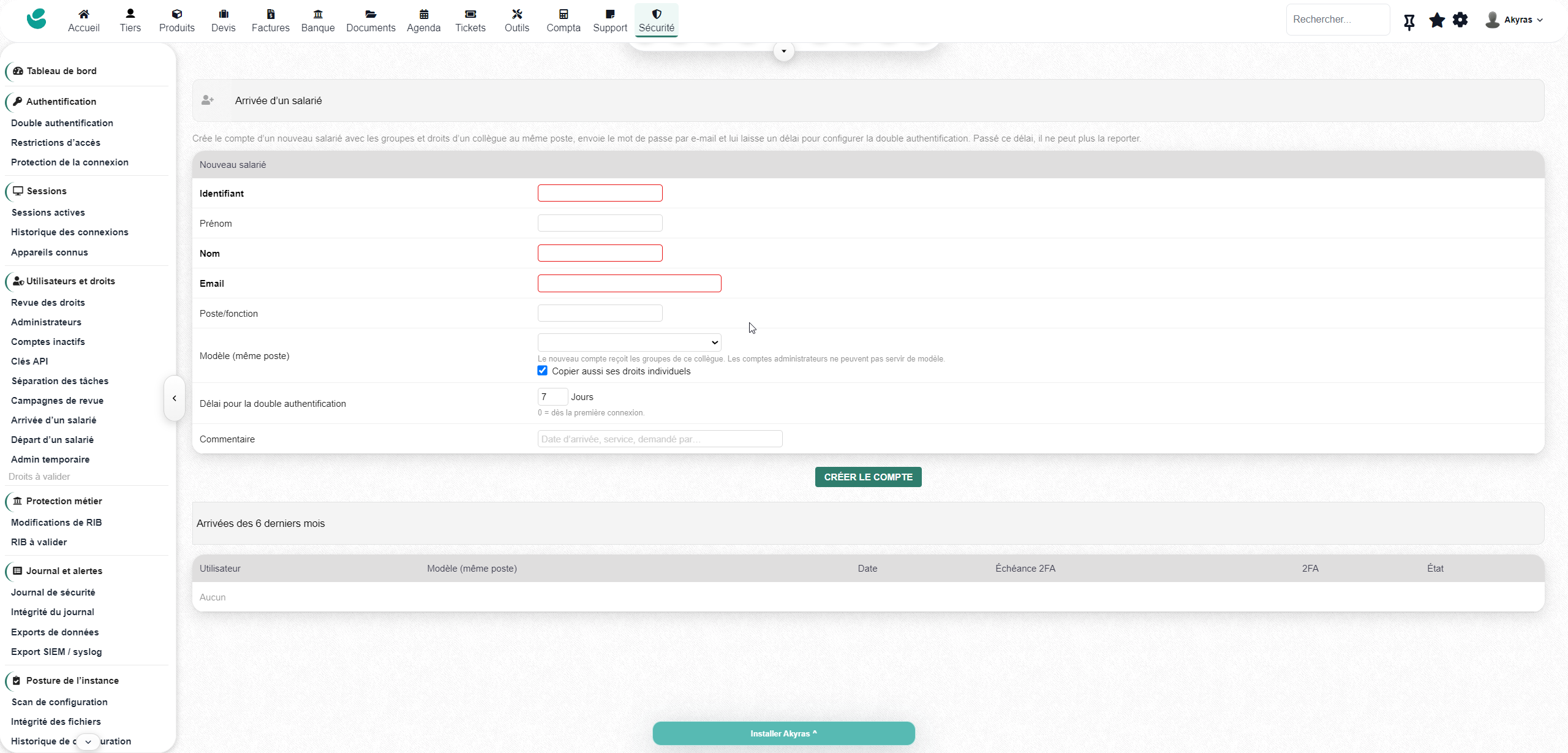
- Onboarding: create an account based on a reference colleague, copying their groups and, optionally, their individual permissions. Set a deadline for enabling 2FA, with a reminder and mandatory enrolment at the deadline when the method is available.
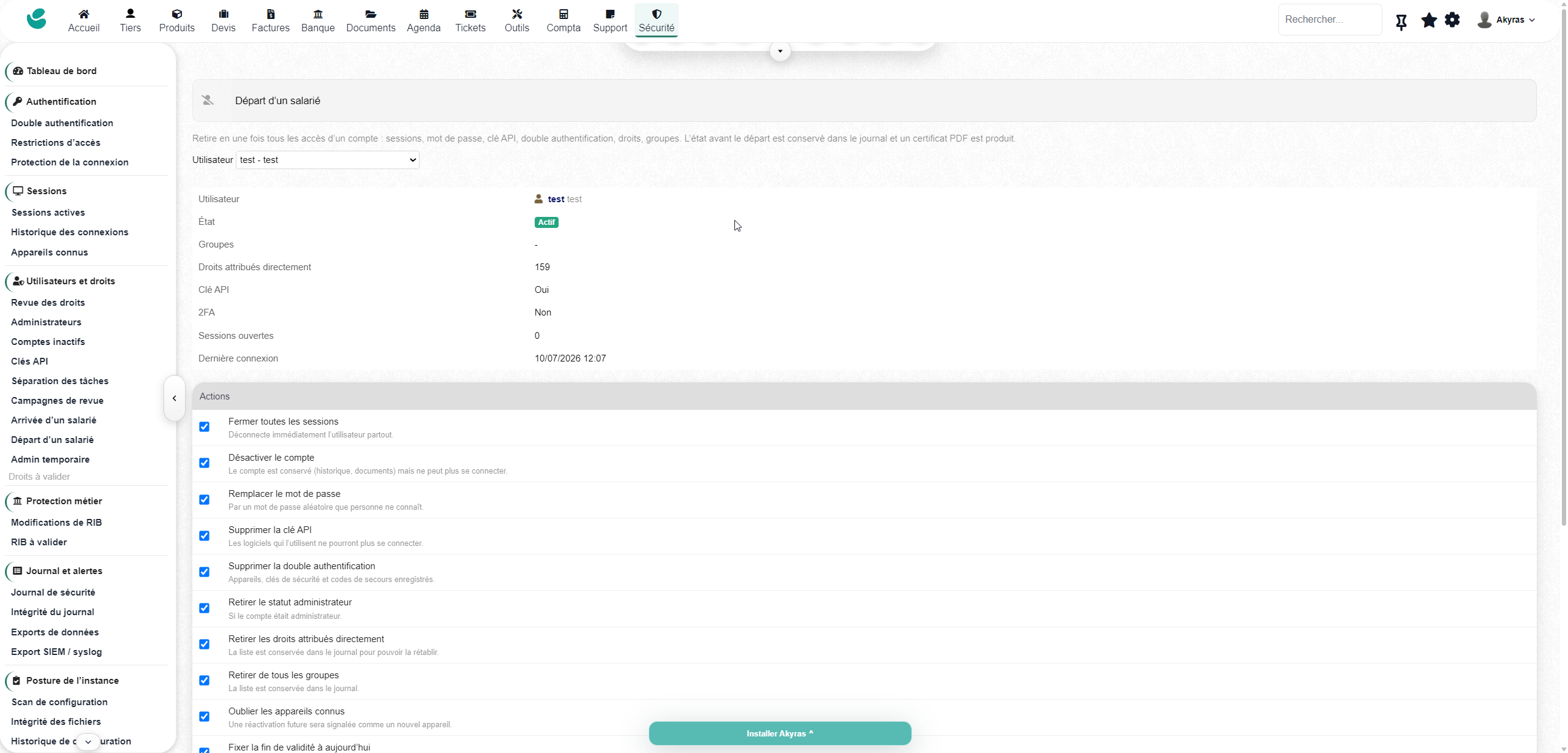
- Offboarding: a single procedure centralises account deactivation, session termination, password changes and removal of API keys, 2FA, permissions, groups and devices. Explicit confirmation is required before the operation; a timestamped PDF certificate is retained.
- Review campaigns: take a snapshot of active accounts and examine their groups, permissions, 2FA, API keys and latest logins. Record decisions to retain, modify or remove access, then close the review with a conclusion and a PDF evidence report. Overdue campaigns are flagged.
8. Keep your API keys under supervision
List accounts that hold a key without displaying the key itself. View the last call, IP address and number of calls. Identify unused keys and configure a maximum lifetime, with a warning before expiry.
Define allowed IP addresses and optionally apply access restrictions to the API. Treat these technical access methods as access in their own right.
9. Spot data leaving your system and unusual deletions
The suite logs downloads from the Exports module and their row counts for supported formats. Thresholds flag large exports, numerous exports or document downloads in a short period. Backup generation and downloads are also tracked.
A dedicated view groups exports by user. Deletions of covered business objects are logged, and an alert can be triggered when the selected hourly threshold is exceeded. You have evidence to investigate unusual activity.
10. Monitor the health of your instance too
- Configuration scan: checks of Dolibarr, PHP, conf.php, the documents directory and high-risk modules.
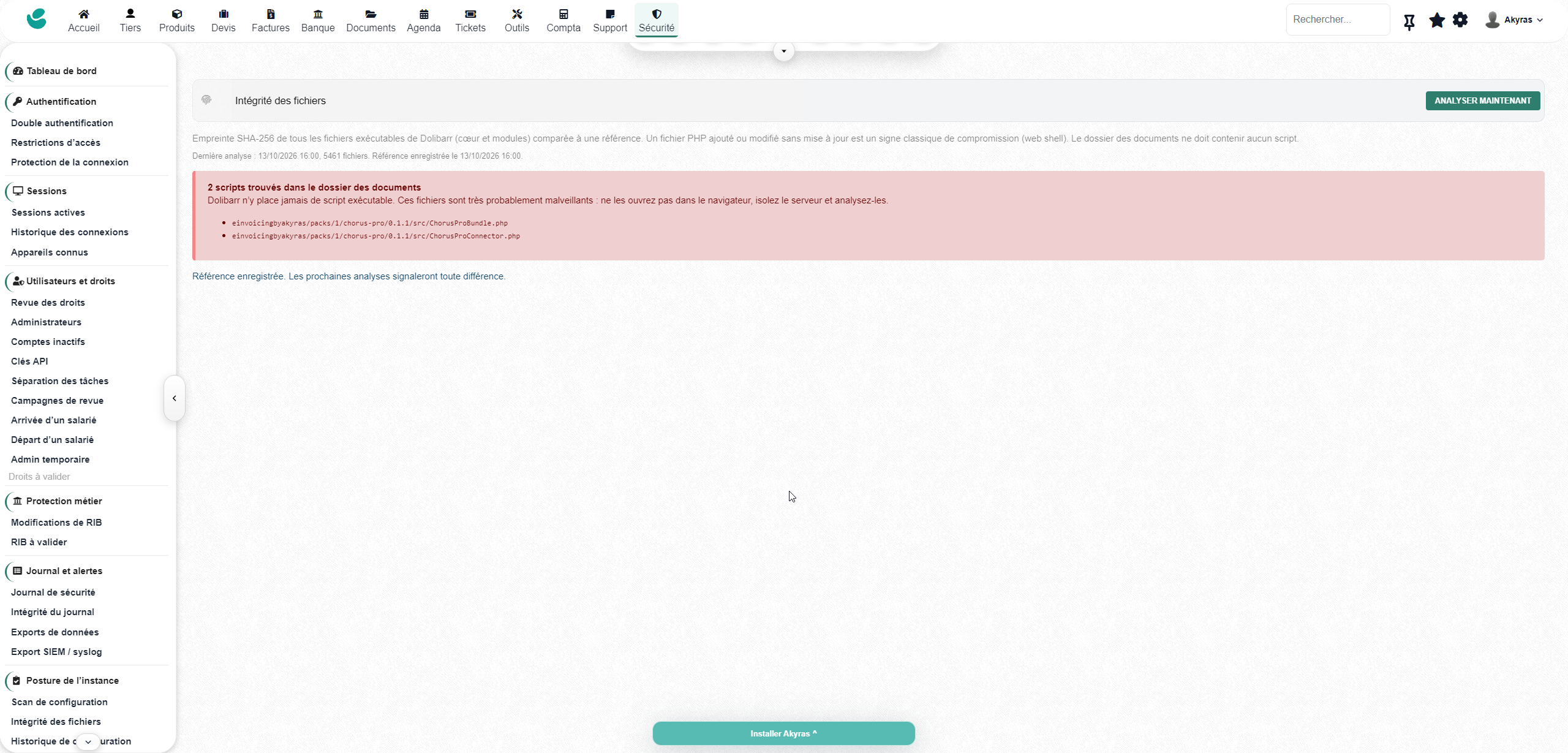
- File integrity: a SHA-256 baseline, detection of added, modified or deleted executable files, and identification of suspicious scripts in the documents directory. A new baseline can be approved after an update.
- Settings history: tracking of configuration changes, including old and new values; secret values are not stored in plain text.
- Backups: monitoring of age, size, failures and unusual size reductions, with monitored directories and manual reporting or signals from external tools. Also track off-server backups and reported restore tests.
- Versions: checks of published Dolibarr releases, vulnerabilities referenced in GitHub advisories and the end of PHP security support.
11. A verifiable log and alerts where you work
The log brings together events relating to logins, sessions, accounts, permissions, bank account details and other covered operations, with filters and exports in CSV or JSON. A hash chain makes it possible to verify its integrity, with automatic verification, alerts if the chain is broken and a PDF certificate.
Forward events to a SIEM or syslog server, using UDP, TCP or TCP with TLS, in RFC 5424 format with JSON or CEF. External retention can complement the local log.
Alerts can be sent by email, Teams, Slack, Google Chat, Discord or a JSON webhook. A weekly summary brings together the score, activity, blocks, sensitive changes and issues to fix.
12. Respond to incidents and document your response
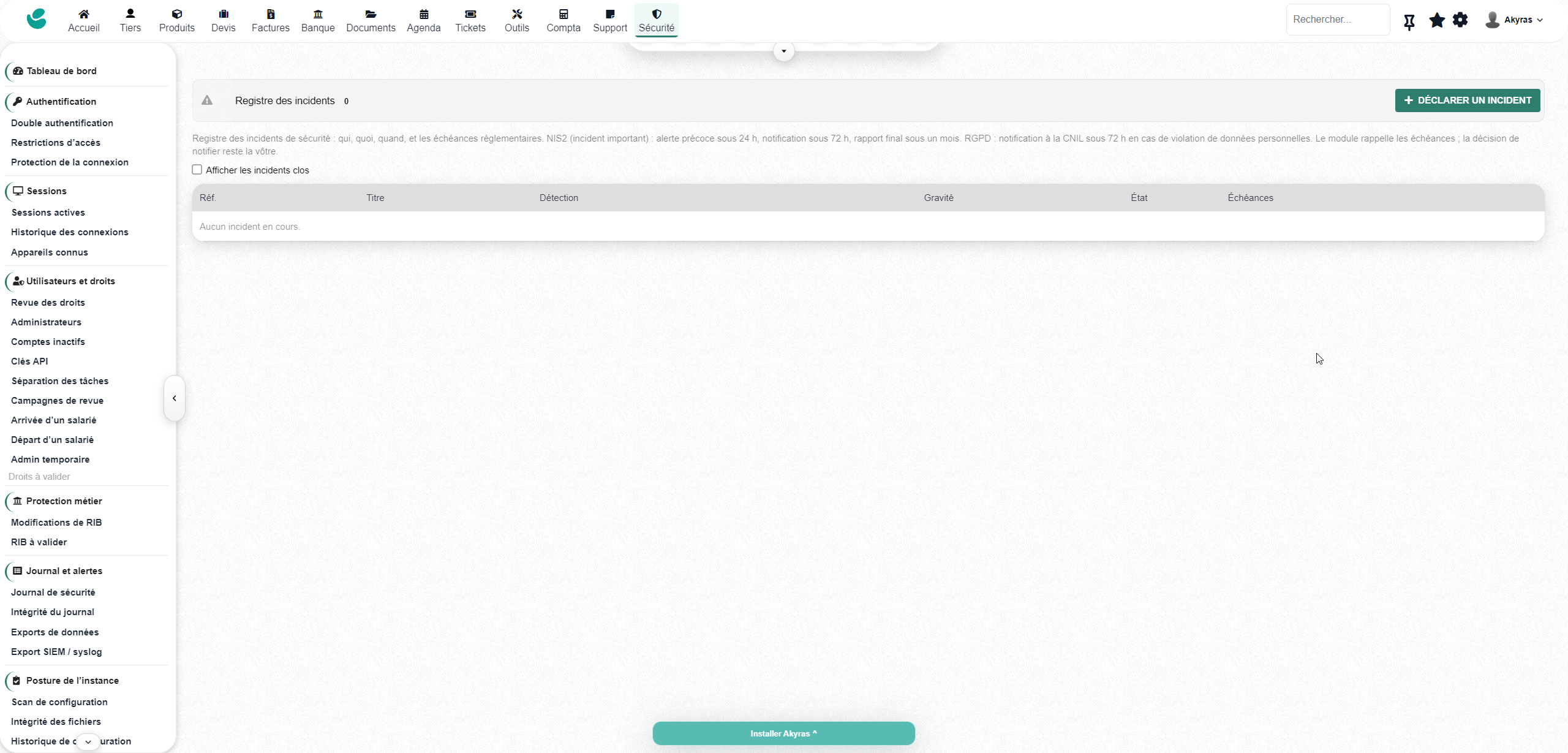
Create an incident with a category, severity, owner, status and timeline of actions. Find events around the time of the incident and track the suggested deadlines for NIS2 and GDPR procedures.
The lockdown mode ends non-administrator sessions and rejects new logins from these users until it is lifted. Activation requires confirmation, records the reason and triggers an alert and an incident.
A PDF report brings together checks, accounts to monitor, incidents and activity over the selected period, mapped to NIS2 and GDPR measures. Permission reviews and certificates complement your tracking records. The suite helps document your technical measures; it does not certify your organisation or, on its own, cover its organisational obligations.
A standalone suite. Continuity for 2FA byAkyras customers.
You do not need to purchase the 2FA module separately. For installations already using it, activation carries over 2FA data, settings and permissions, retains registered authentication methods and disables the standalone 2FA module. Users do not need to enrol again.
The full interface is available in French, English, German, Spanish, Italian and Dutch, with support for regional variants. Other languages have translations for the 2FA component; the rest of the suite is displayed in English.
Requirements and scope
Dolibarr 20 to 24, PHP 7.4 minimum (8.2 or later recommended), MySQL or MariaDB. HTTPS for Windows Hello and FIDO2/WebAuthn. Scheduled jobs and system cron for automatic checks; MaxMind GeoIP for geographical features. Declare trusted proxies if your installation uses a reverse proxy. Multicompany has not been tested.
Have I Been Pwned and GitHub checks require outbound access and are skipped if the services are unavailable; YubiKey OTP uses YubiCloud. Backup monitoring does not perform backups. Transfer checks apply to Dolibarr SEPA orders, not payments made directly through the bank. REST exports and screenshots are not covered by export detection.
Dual approvals cover supported Dolibarr and API workflows, not direct database writes. Dual approval for permissions is optional; without a second administrator, permissions are granted and a bypass event is logged. Log hashes do not constitute independent evidence against someone who controls both the database and the instance key. Geographical checks may be affected by VPNs or mobile networks. See the documentation for options, scope and recovery procedures.
Make security in your Dolibarr an ongoing, visible and actionable process.