


Description
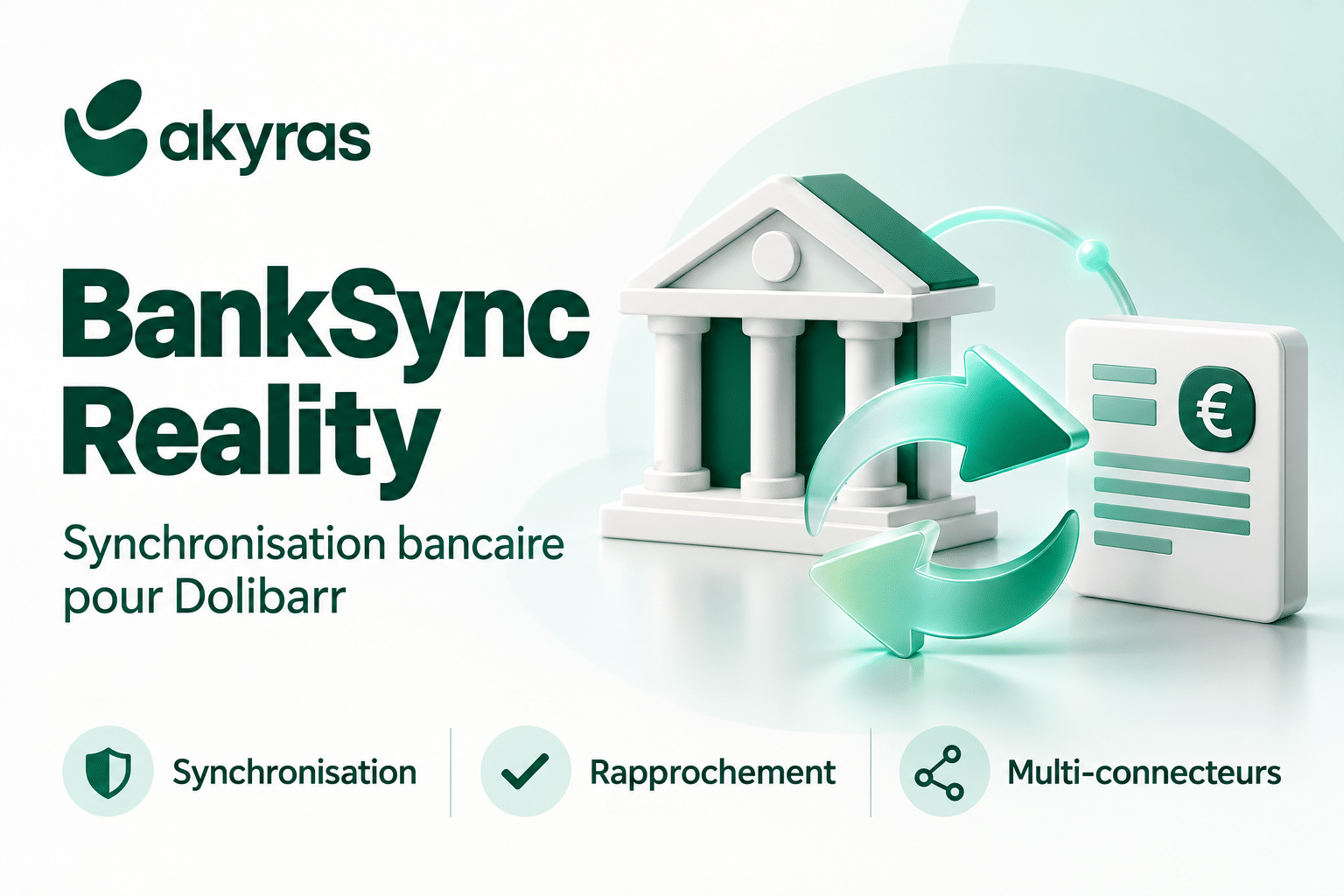
BankSync Reality — Advanced banking management directly in Dolibarr
BankSync Reality transforms Dolibarr into a real banking control center.
The module connects your bank accounts to Dolibarr via GoCardless Bank Account Data, Tink or Powens, imports the transactions actually accounted for by the banks and automates their reconciliation with invoices, payments, credit notes, salaries and expense reports.
This gives you a centralized, reliable and usable view of your financial flows, without multiplying CSV imports or manually comparing several interfaces.
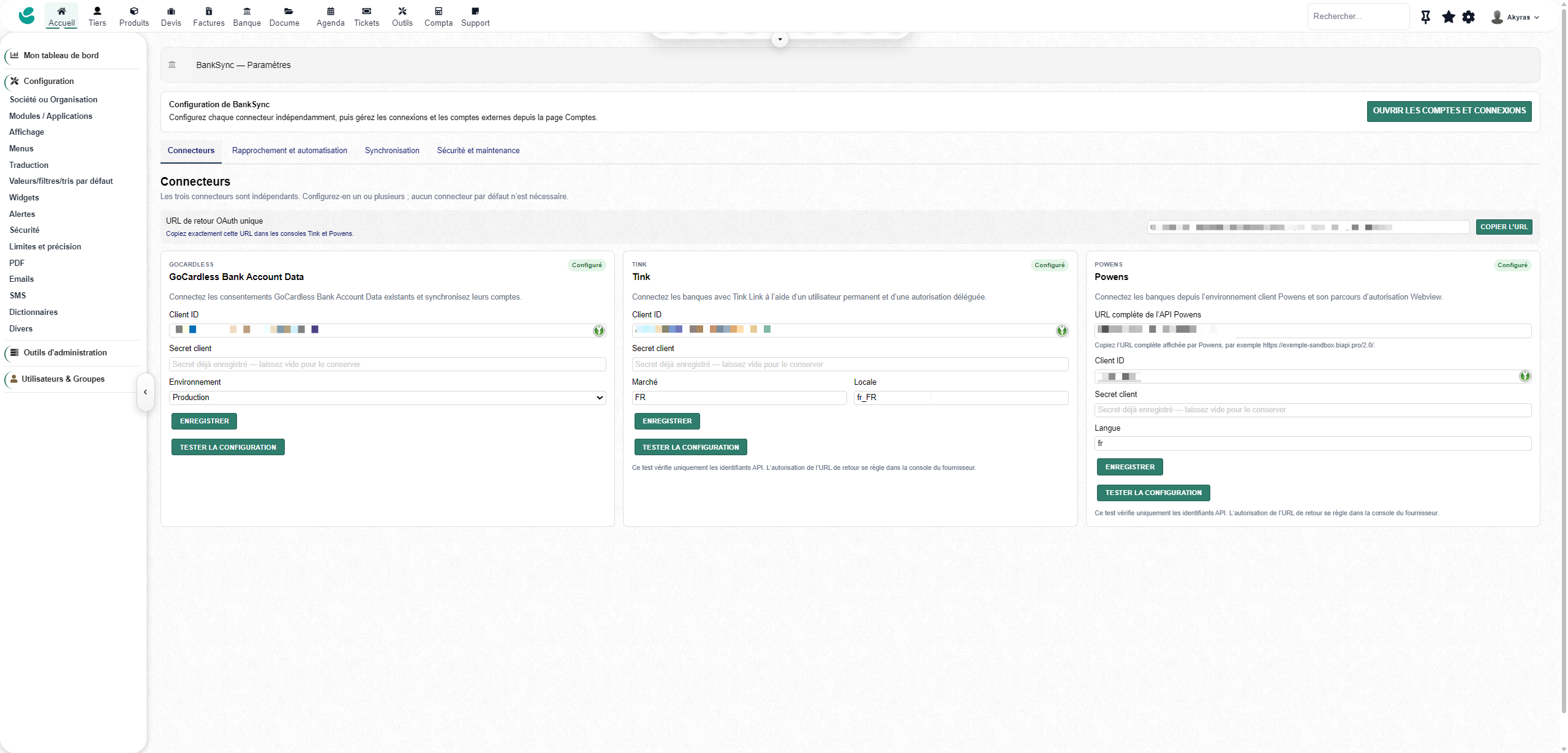
Multi-connector banking aggregation
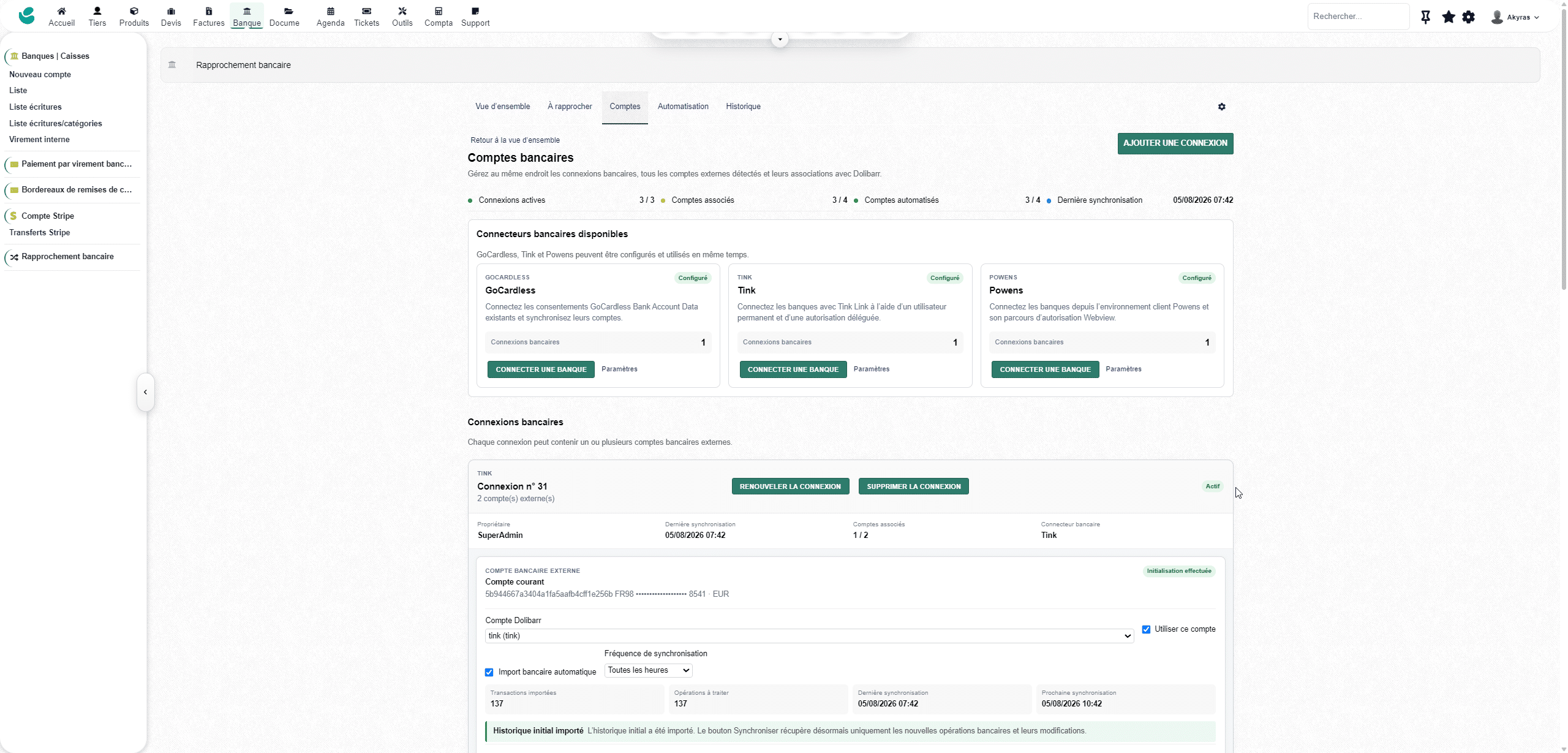
BankSync Reality allows you to use the following simultaneously:
- GoCardless Bank Account Data;
- Tink;
- Powens.
A single Dolibarr installation can manage:
- several banking providers;
- Multiple connections per vendor.
- Multiple bank accounts per connection.
- several Dolibarr accounts;
- Multiple entities when multicompany mode is used.
Each external account can be activated, deactivated and linked independently to the corresponding Dolibarr bank account.
The availability of banks depends on the provider, the country and the contract with it.
Reliable and differential bank import
The module supports:
- the initial import of the banking history;
- recovery of new operations;
- Updating operations that have already been imported as they evolve.
- the management of recorded and pending transactions;
- the dates of operation and value;
- Descriptions, bank references, amounts, currencies, and balances.
- Preventing duplication with external supplier identifiers
- Connections with multiple bank accounts.
After the initial import, BankSync Reality calculates an initialization balance in order to align the balance calculated in Dolibarr with the balance transmitted by the bank.
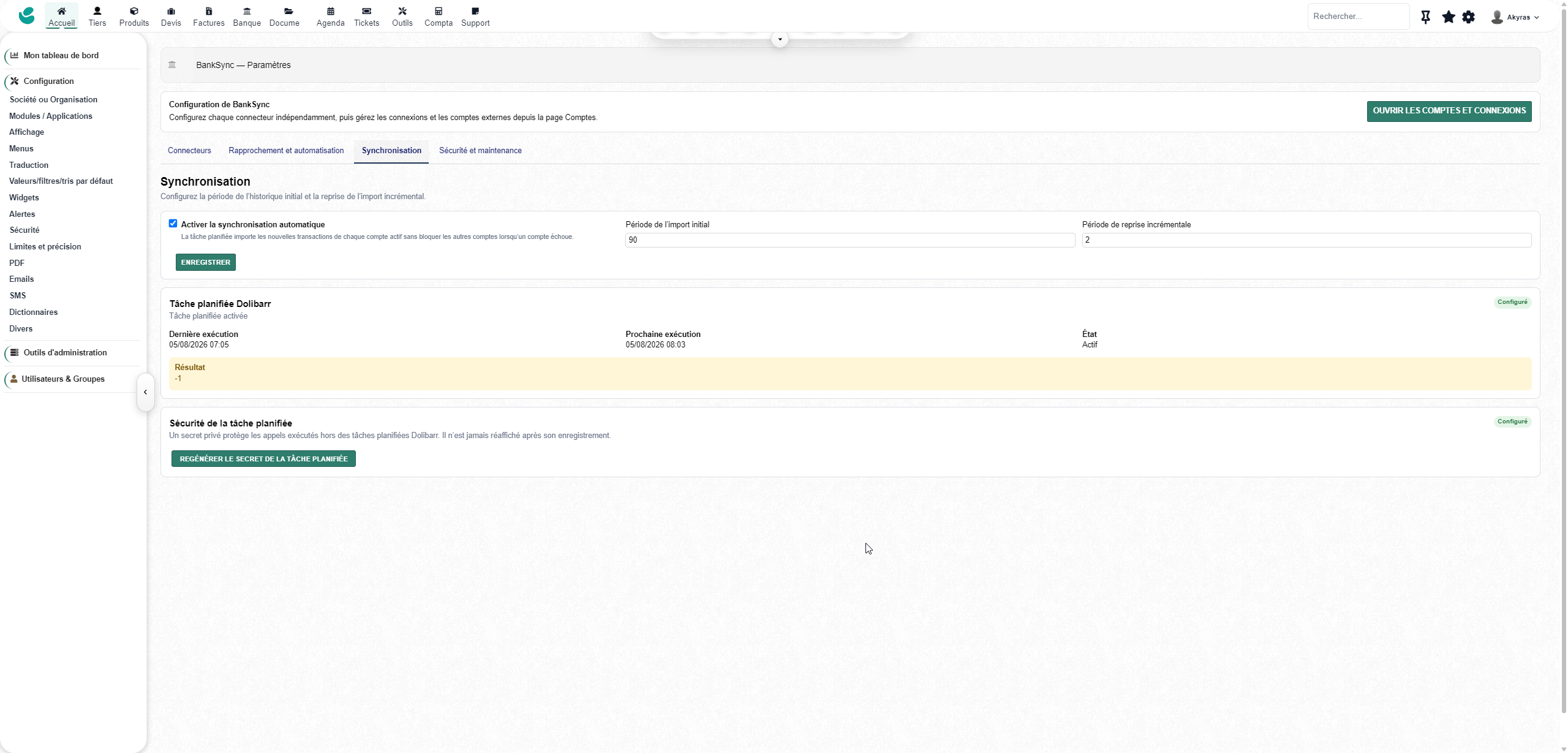
Manual and automatic synchronization
Synchronization can be initiated manually or executed automatically by Dolibarr scheduled tasks.
The module manages:
- Asynchronous supplier refreshes
- Automatic resumption of a pending synchronization.
- Multi-account logins
- Configurable synchronization frequencies
- transient errors;
- token expirations;
- expiring bank consents;
- Requests for reconnection or strong authentication.
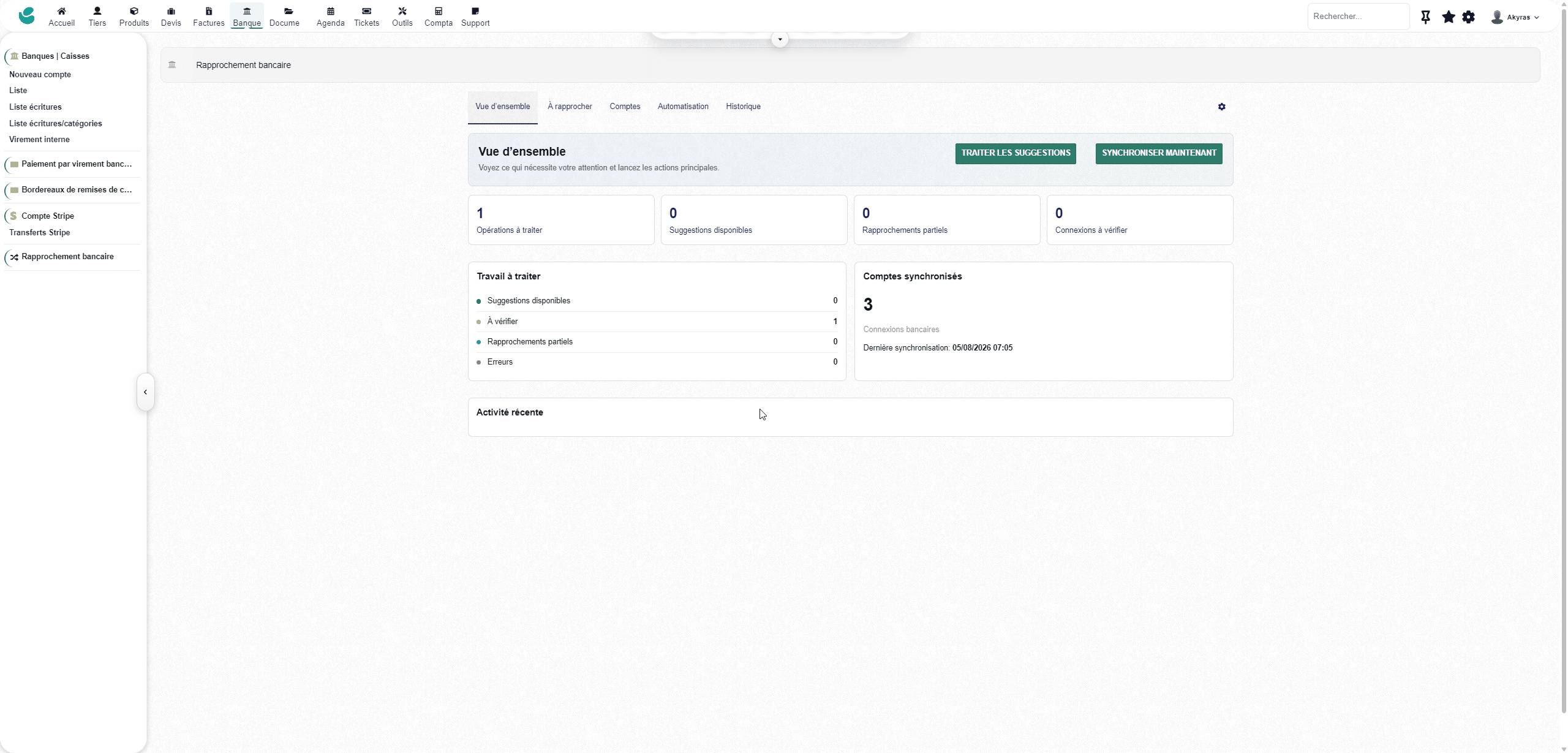
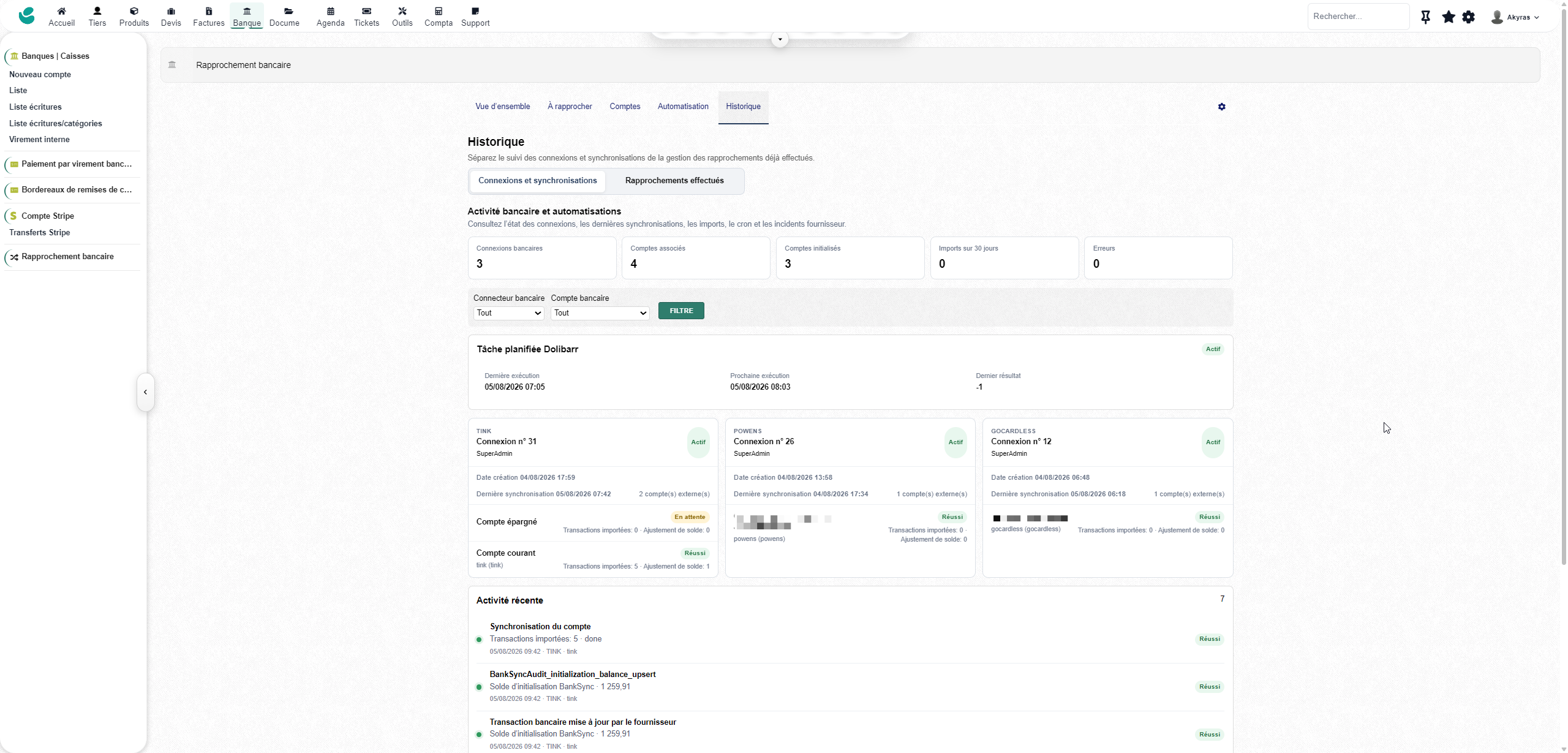
A tracking table shows the status of the cron, the latest runs, the next synchronizations, the operations imported, and any actions required.
Advanced Bank Reconciliation
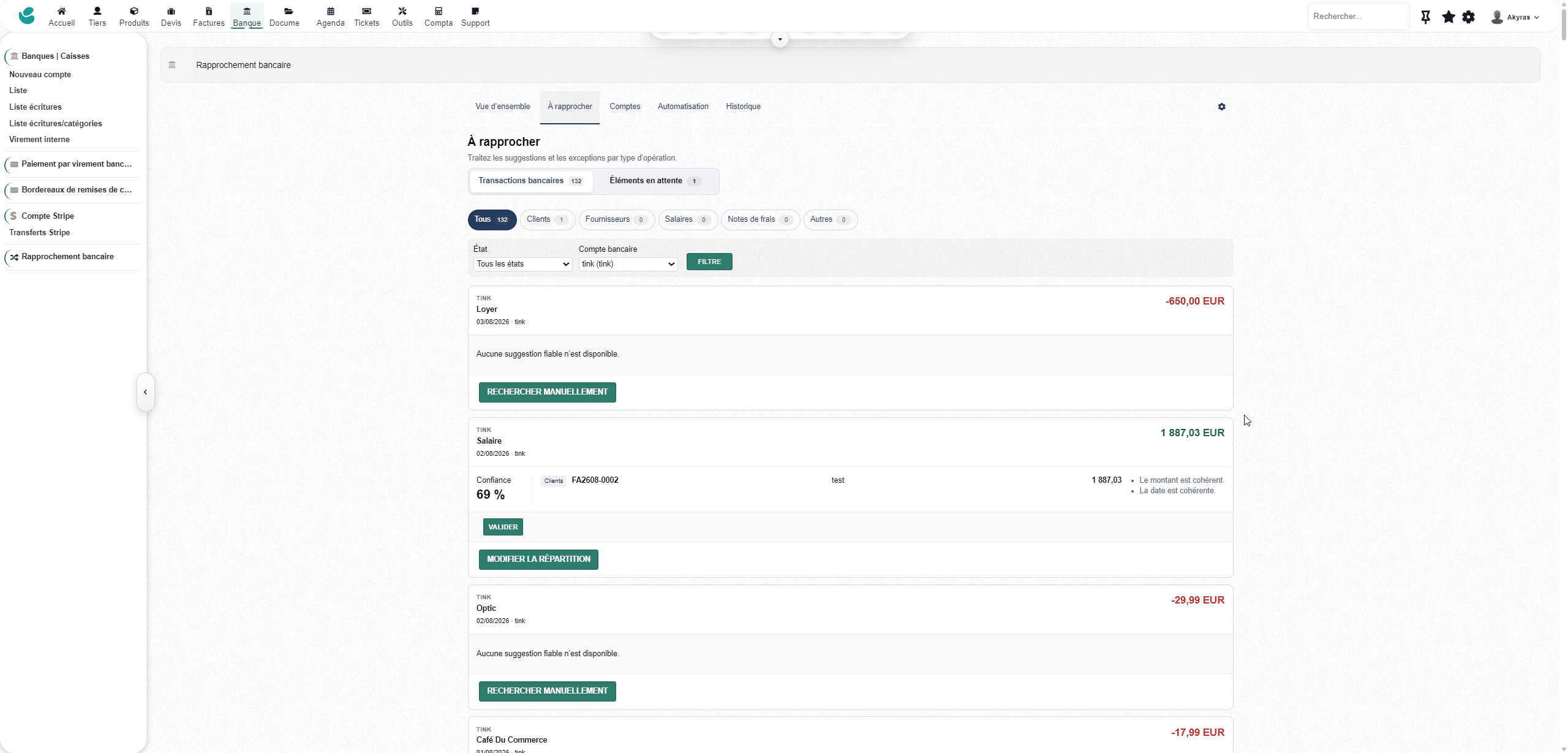
BankSync Reality analyzes amounts, dates, references, denominations, and accounts to provide meaningful reconciliations between bank transactions and Dolibarr data.
Key supported scenarios include:
- Customer invoice and payment received.
- customer credit and refund;
- Vendor invoice and payment issued.
- Vendor credit memo
- individual salary;
- transfer combining several salaries;
- individual expense report;
- reimbursement of several expense reports;
- Payment associated with multiple documents.
- Multiple payments in a single bank transaction
- partial reconciliation;
- Split a payment across multiple transactions.
- Manual search when no sufficiently reliable suggestions are available.
Suggestions remain under the user’s control before validation.
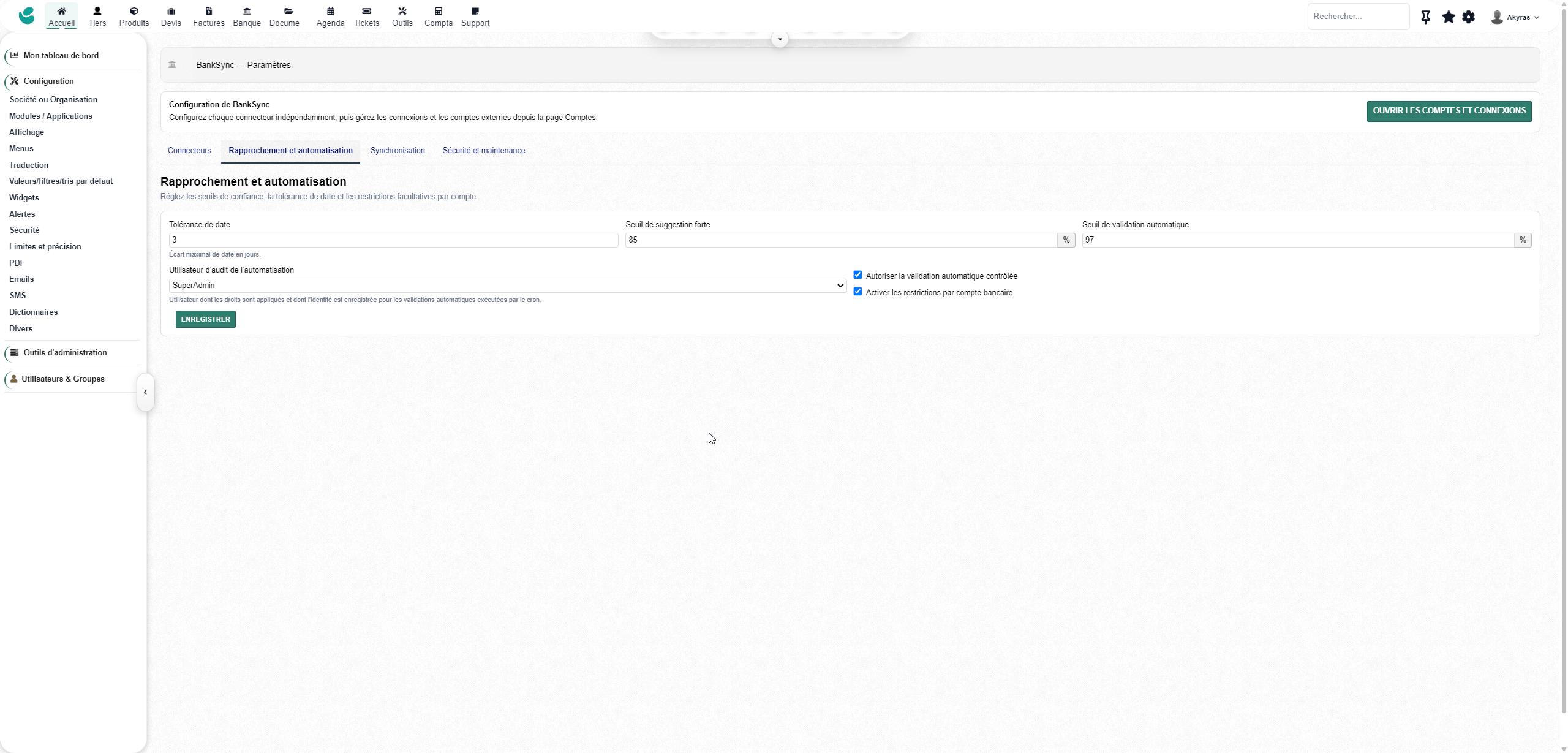
Automation rules
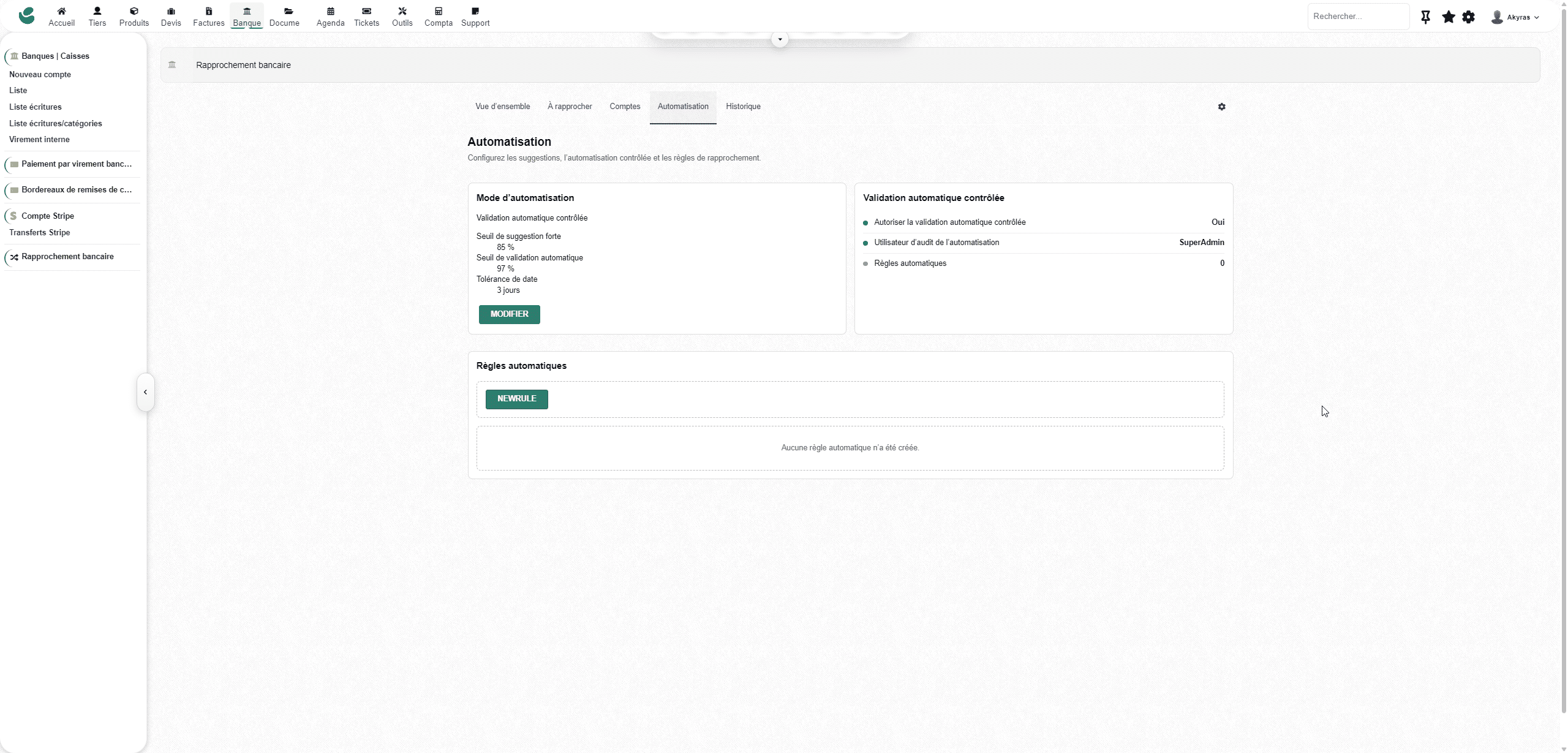
The module integrates a rules engine to automate recurring reconciliations.
The rules can use, in particular:
- the bank account;
- the debit or credit meaning;
- a range of studs;
- the content or exclusion of a label;
- a bank reference;
- The type of item you are looking for.
- a priority for implementation.
BankSync Reality also manages:
- Simulating a rule before activation.
- conflict detection;
- deterministic priorities;
- Modifying and disabling rules.
- Logging automatic commits
- Safeguards preventing ambiguous validation.
- deterministic group payments.
No automatic reconciliation is performed when the amount, period, uniqueness, or confidence level are not sufficiently reliable.
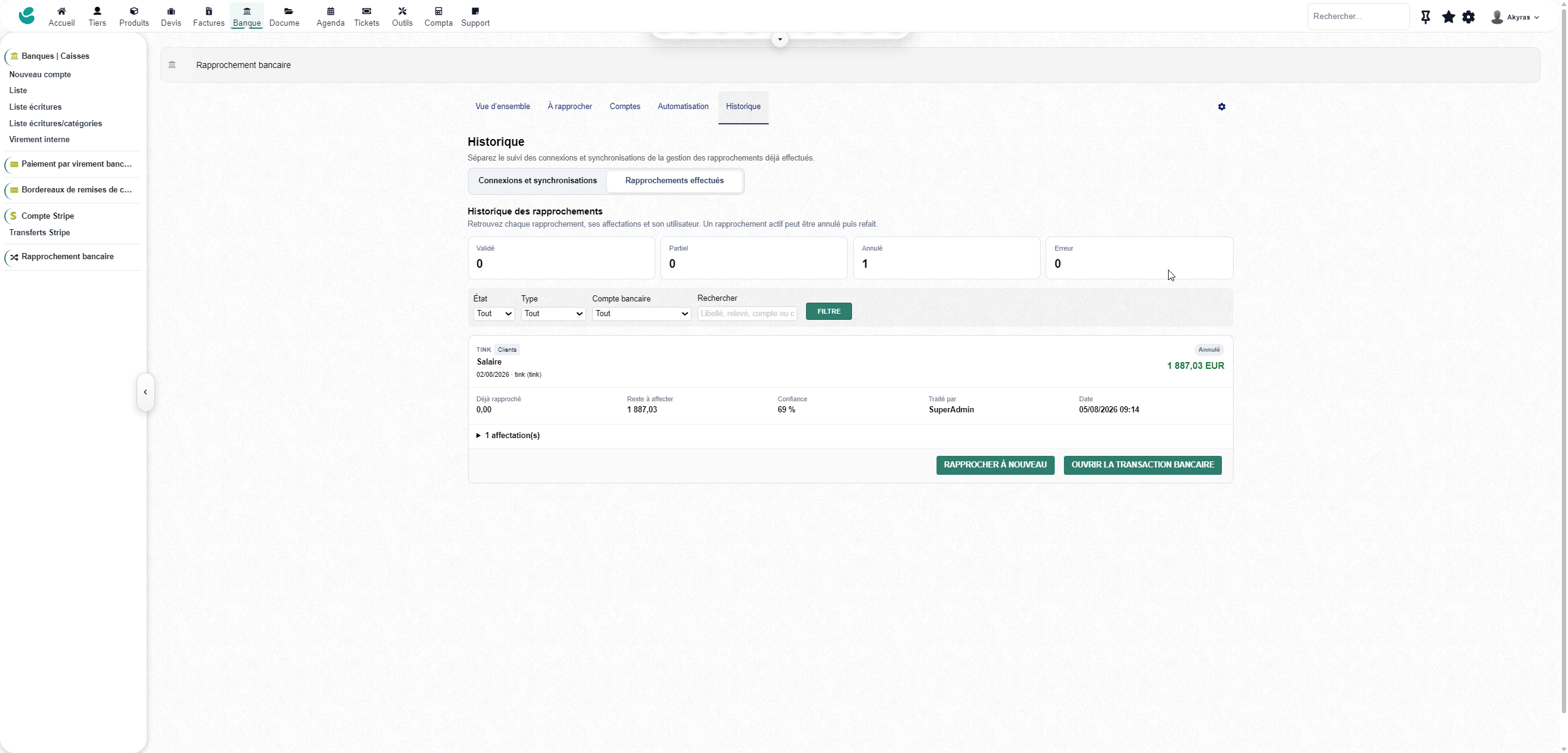
History and traceability
A dedicated view allows you to follow:
- bank connections;
- Manual and automatic synchronizations.
- Transactions read and imported.
- the operations already present;
- supplier errors;
- the authorisations to be renewed;
- the reconciliations carried out;
- Manual or automatic validations.
- the rules applied.
Successive restarts of the same synchronization are grouped into a single cycle in order to maintain a readable history.
Management of banking consents
BankSync Reality monitors the status of bank authorizations and can report:
- an expired authorization;
- an upcoming deadline;
- consent requiring further validation;
- Strong authentication required.
- a bank connection to be renewed.
When the vendor communicates an expiration date, the module can notify the user before the expiration date and highlight the renewal action.
Complement to Stripe, PayPal and Dolibarr payments
BankSync Reality doesn’t replace your payment methods. It closes the loop between:
- the invoice created in Dolibarr;
- the payment entered or received;
- the payment actually visible in the bank;
- Synchronized bank transaction
- the final reconciliation.
This approach makes it easier to identify:
- costs;
- payment deadlines;
- Bulk payments
- refunds;
- the discrepancies in amount;
- missing payments;
- operations not yet reconciled.
Security and access rights
The module includes:
- encryption of sensitive tokens;
- no storage of bank passwords;
- Protected OAuth courses
- Isolation of connections by entity.
- separate rights to consult, administer or reconcile;
- Configurable restrictions per bank account.
- Duplicate protection
- Protection against concurrent validations.
- Logging of imports, errors, and sensitive actions.
An integrated experience in Dolibarr
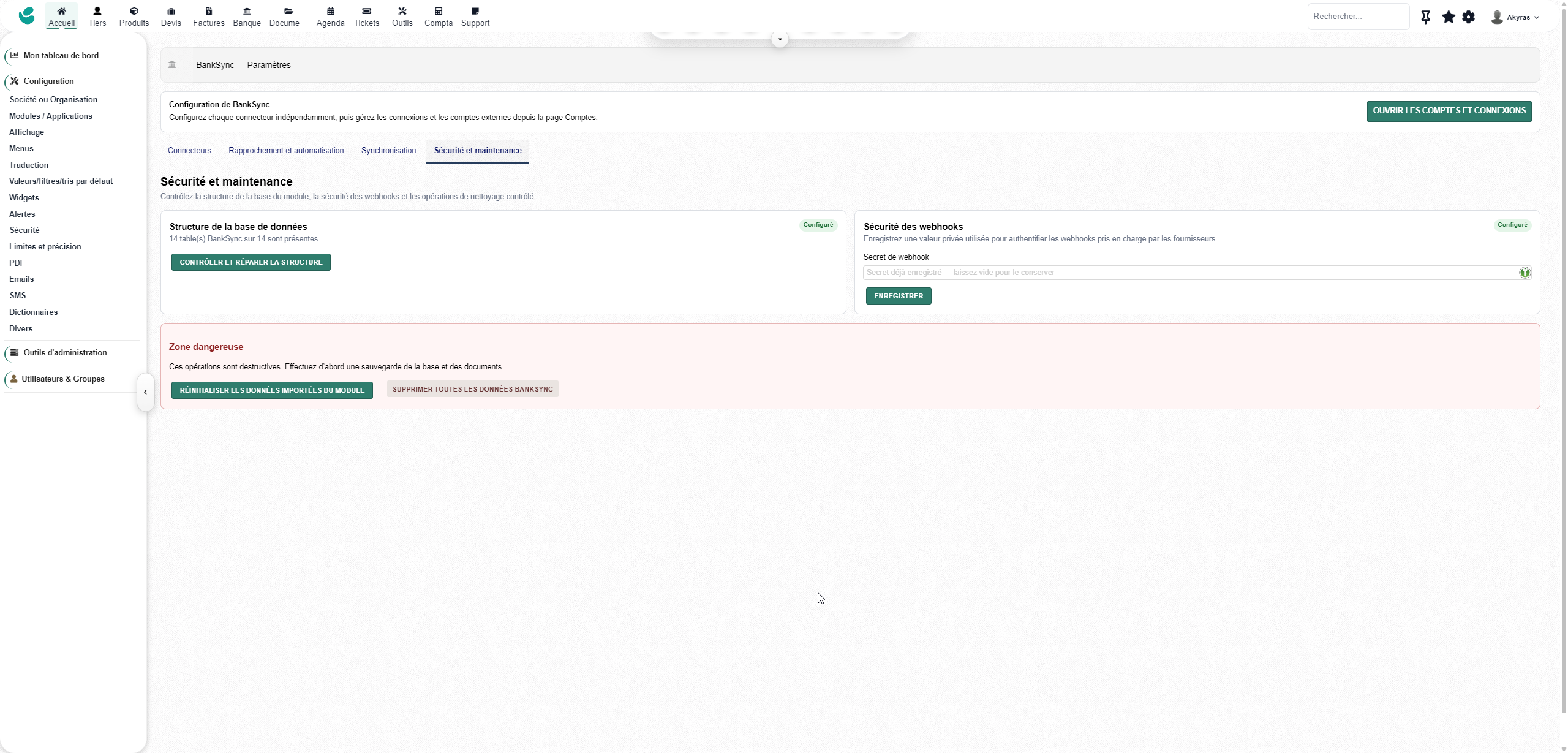
From a single interface, you can:
- configure banking providers;
- connect or renew a bank;
- check permissions;
- link external accounts to Dolibarr accounts;
- Import history.
- synchronize new operations;
- configure automatic frequencies;
- View the transactions to be reconciled.
- Create automation rules.
- track activity and incidents;
- Manage rights by user or group.
The interface integrates natively with Dolibarr and supports the language variants used by the ERP.
Developed by Akyras — akyras.com
Access to the GoCardless, Tink, or Powens services may require a separate account, contract, or fee not included with the module.